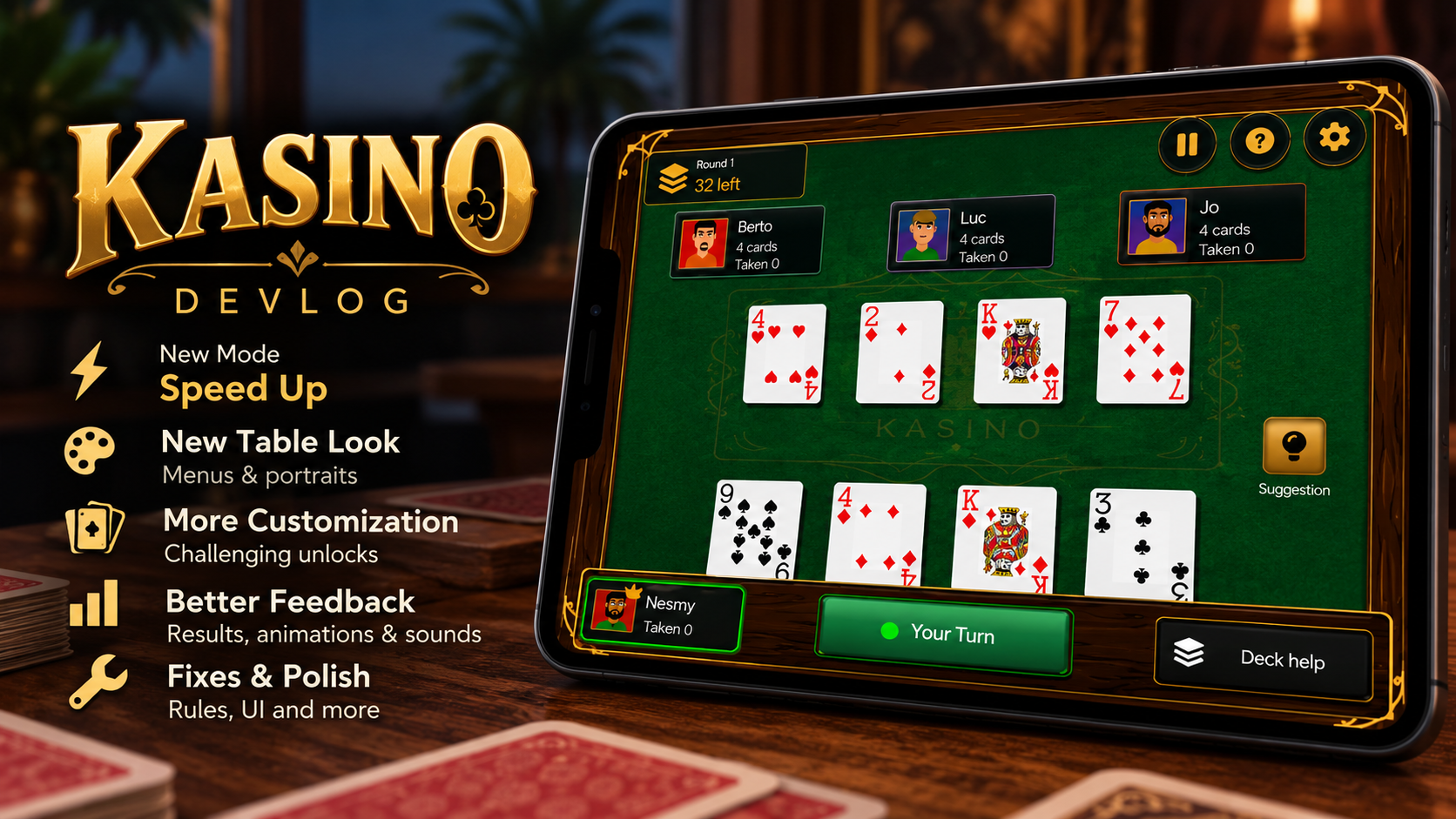
Kasino Devlog #4 — Making Kasino Feel Like a Complete Game
• devlog
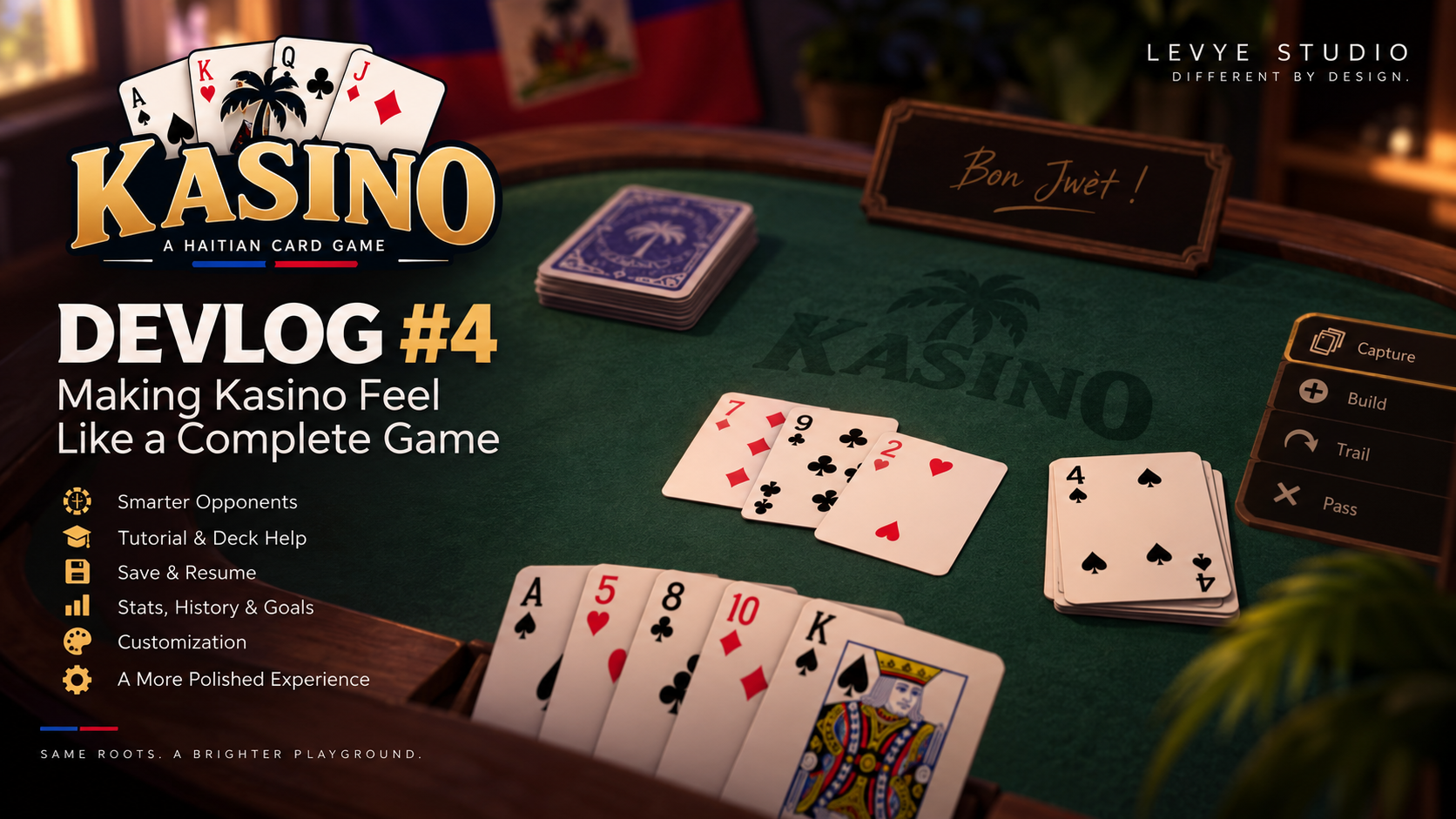
The last few days of working on Kasino have been a lot. I originally went into this update wanting to fix some problems with the AI and a few of the more complicated build rules. Instead, I ended up touching almost every part of the game.
The AI is better. There is now a tutorial. Games can be saved and resumed. There are statistics, match history, unlockable cosmetics, player profiles, new sounds, better animations and a redesigned interface. Kasino finally feels like a game I can hand to someone, rather than a working rules implementation.
Fixing the Game Before Adding More to It
One of the first things I worked on was the AI. There were situations where an opponent had an obvious capture available but would still trail a card. That could eventually leave way too many cards on the table. The obvious solution would have been to always make the AI choose the best move, but I didn't want to do that. Easy opponents are supposed to make mistakes. So the problem wasn't really "make the AI perfect." It was figuring out which mistakes felt believable and which ones just made the AI look broken. I fixed several of those cases while keeping the differences between the difficulty levels.
I also spent more time testing some of the complicated build situations. For example, combinations such as:
9 + 7 + 2while keeping another 99 + 510 + 4- builds involving an Ace as 14
Aces were particularly interesting because Kasino can treat them as either 1 or 14. The game now evaluates Aces independently, so two Aces involved in the same situation don't necessarily have to represent the same value. These aren't flashy changes, but getting rules like these right matters more to me than adding another animation or menu.
Giving the Opponents Some Personality
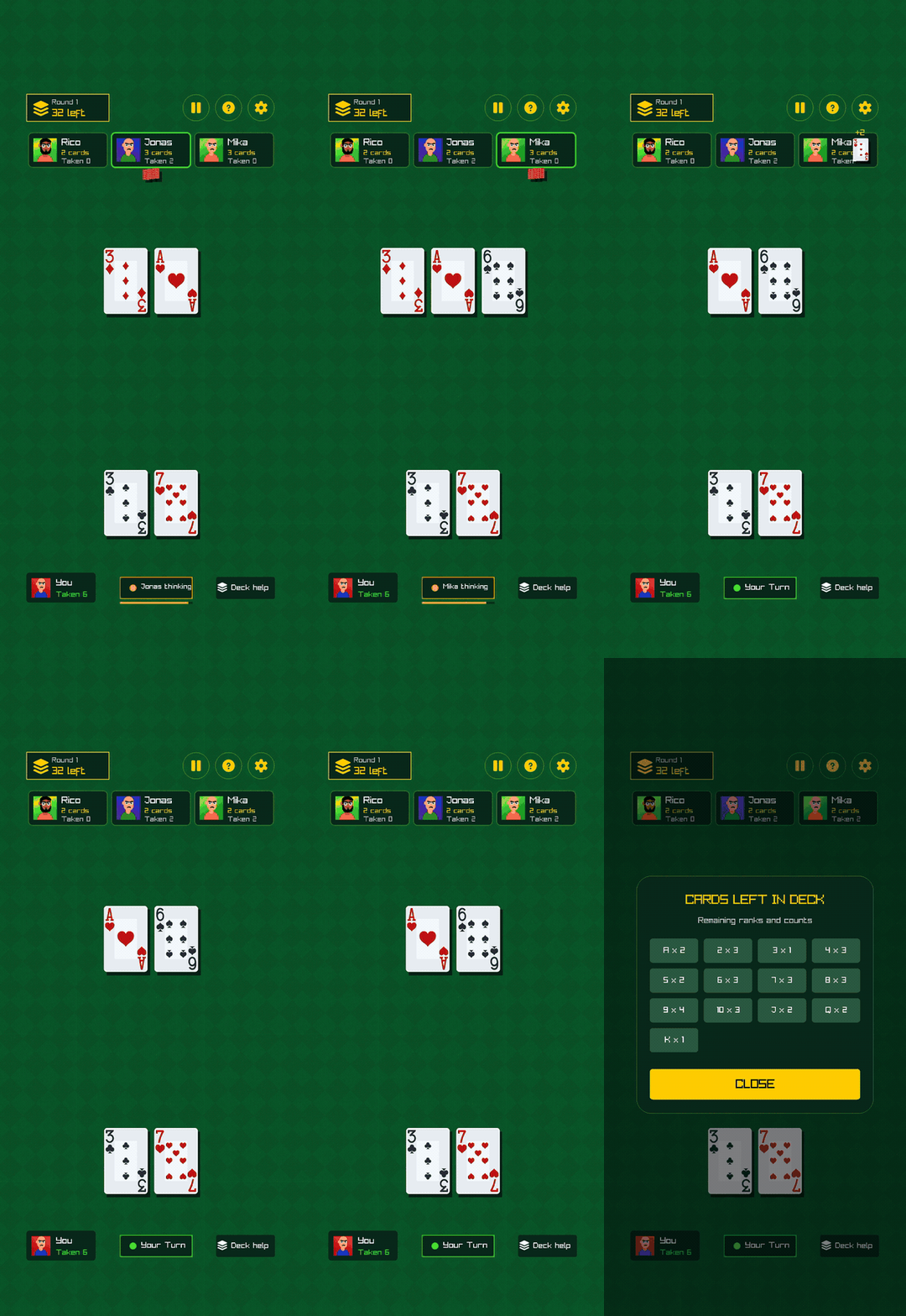
Once the AI was behaving better, I started working on making the opponents feel less like four copies of the same bot. Opponents can now have different playing styles. There are aggressive players, cautious players, collectors and opponents that prefer setting up builds. They also get randomized names and portraits. Then I started adding smaller details. Bots don't immediately throw down a card anymore. They have small thinking delays and card movements. They react to captures, builds, trails and some of the player's stronger moves. I even added memory between matches.
Kasino keeps track of your record against named opponents. When you meet someone again, they can react differently depending on whether you beat them, lost to them or tied the previous game. None of this changes the rules. It just makes sitting at the table feel a little less empty.
Teaching Kasino by Playing Kasino
The old Help screen explained the rules, but I didn't think reading a wall of instructions was the best introduction to the game. Especially for someone who has never played Haitian Kasino before. So the first time the game is opened, it can now start a guided game. Instead of explaining everything before the player touches a card, the game introduces things while they are actually happening.
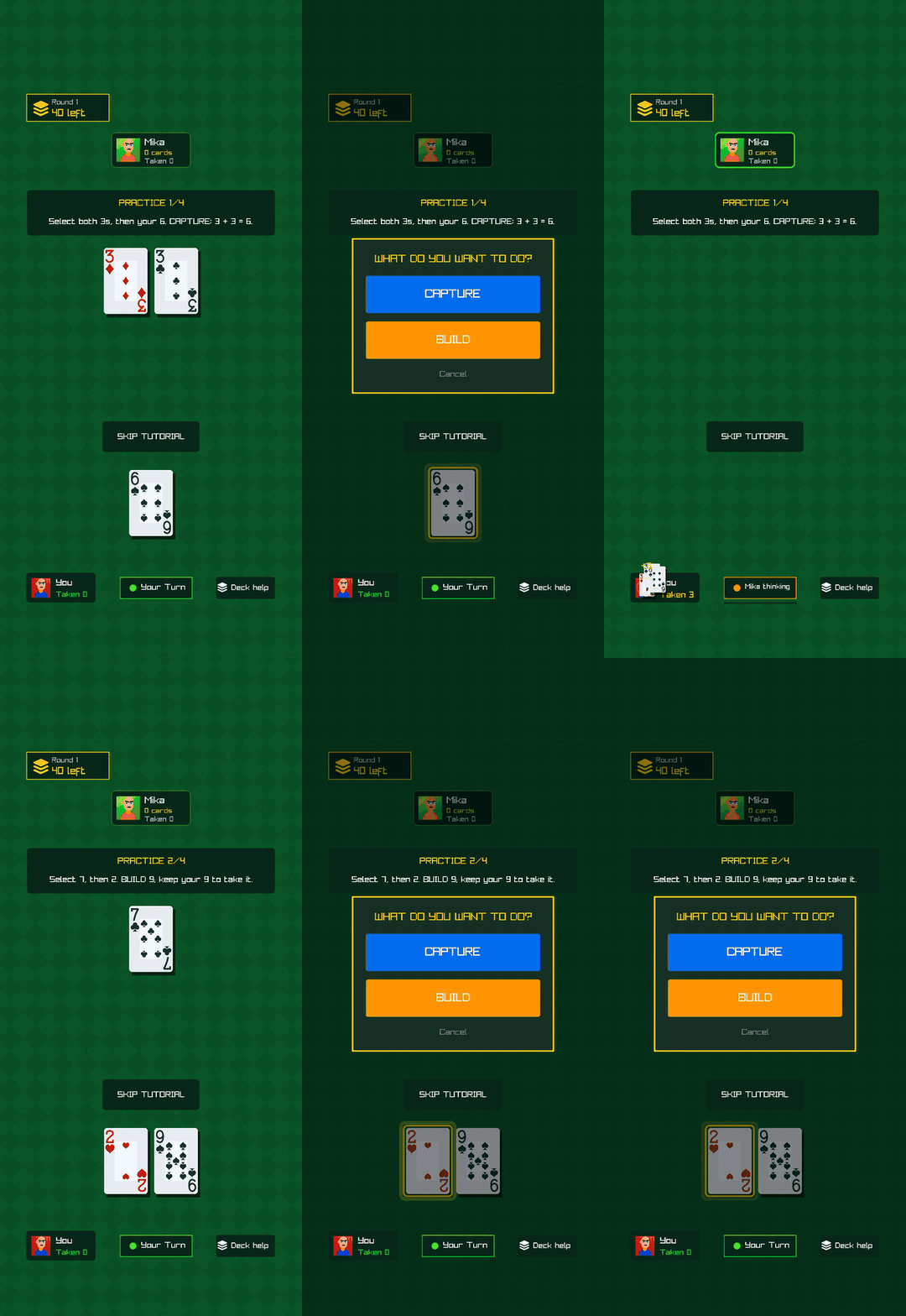
The tutorial can be skipped, and a guided game can be started again later from Settings. I also added correction messages for invalid moves. That was important because simply telling someone "you can't do that" doesn't help them understand the game. When possible, Kasino now explains why the move doesn't work.
Making Captures Feel Better
A lot of this update was about feedback. Previously, something could be completely correct mechanically and still not feel particularly satisfying. Captures are a good example. Cards now highlight before being captured and then move toward the player who took them. There are pickup sounds, small count animations and slightly stronger feedback when a large capture happens. I deliberately kept the effects fairly subtle. Kasino is still a card game. I don't want the screen exploding every time somebody picks up three cards. Build selection also changed. Instead of highlighting every card inside a build, the game outlines the stack itself.
It's a small difference, but it's much easier to read.
Rethinking Suggestions
I also wasn't happy with the old suggestion system. A suggestion could open the action menu automatically, which started feeling like the game was doing too much for the player. Now suggestions only point you in the right direction. On Easy, the game can highlight both the recommended card in your hand and the relevant cards on the table. Normal only reveals the recommended hand card. Hard has no suggestions. I used the same idea for the new Deck Help system. Easy can show which ranks remain and exactly how many are left. Normal shows the remaining ranks without giving you the counts. Hard disables Deck Help completely.
Easy and Normal can help someone learn; Hard expects them to understand the game themselves.
You Can Finally Leave a Match
It sounds simple, but it changes how practical the game is to play. Kasino now automatically saves unfinished games. The save contains the deck order, every hand, cards and builds on the table, captured cards, whose turn it is, the opponents and the important round statistics. When you return, there is a Resume Game option on the main menu. I also added validation before loading the save. If something is missing or corrupted, the game rejects it instead of trying to reconstruct a broken match. This was one of those features that isn't very exciting to show in a screenshot, but it makes the game much more practical to actually play.
Giving Matches Some History
Before this update, finishing a match mostly meant seeing the score and starting another one. Now there is more context around what happened. The results screen immediately shows the winner and includes captured cards, biggest take, builds and trails. There is also a Move of the Game. Kasino keeps the latest 20 matches in a history screen with the date, opponents, difficulty, result and cards captured. Career statistics are persistent too. The game tracks wins, losses, ties, win percentage, streaks, total captured cards, largest take, builds and trails.
I didn't want those numbers to exist just for the sake of filling another statistics screen, though. They became the foundation for something else.
Adding Progression Without Changing the Game
Kasino now has goals and cosmetic unlocks. I was careful with this part. I don't want someone who has played for 50 hours to have better cards or some gameplay advantage over someone playing their first match. The rules should stay the rules. So progression is cosmetic.
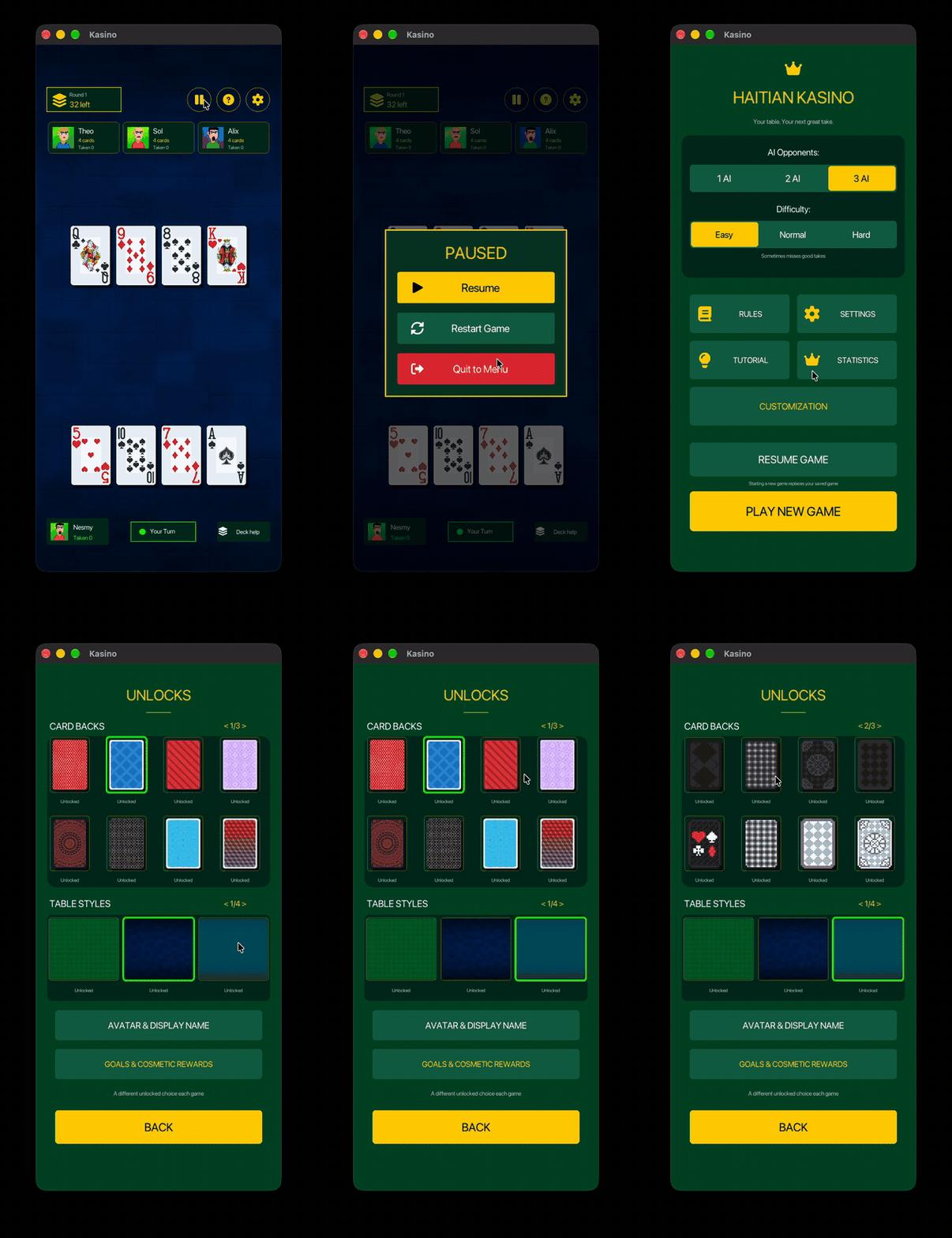
Goals include things like capturing five cards in one move, creating three builds in a match, winning while keeping trails low, beating three Hard opponents or maintaining a winning streak. Completing them can unlock things like:
- Card backs
- Table backgrounds
- Player avatars
- Avatar frames
- Accents
There are also Random Card Back and Random Table options. When enabled, Kasino chooses one of your unlocked cosmetics when a new game begins. I made those some of the harder rewards to unlock. New cosmetics also have their own notifications and reveal animations, so unlocking something actually feels like an event instead of silently changing a value in a save file. Again, none of it makes you better at Kasino. It just gives you more ways to make the game yours.
A Player Profile
That led naturally into profiles. You can now select your avatar and choose your display name. The name and avatar appear at the table and on the results screen. I originally experimented with making my own phone-style keyboard inside the game. I removed it. There was no reason to recreate something the operating system already does better. Mobile builds now use the phone's native keyboard, while the browser and desktop versions use the physical keyboard normally. Sometimes deleting a feature is the better feature.
Redesigning Almost Everything
With all of these new systems, the old interface wasn't going to work anymore. So the main menu got another redesign.
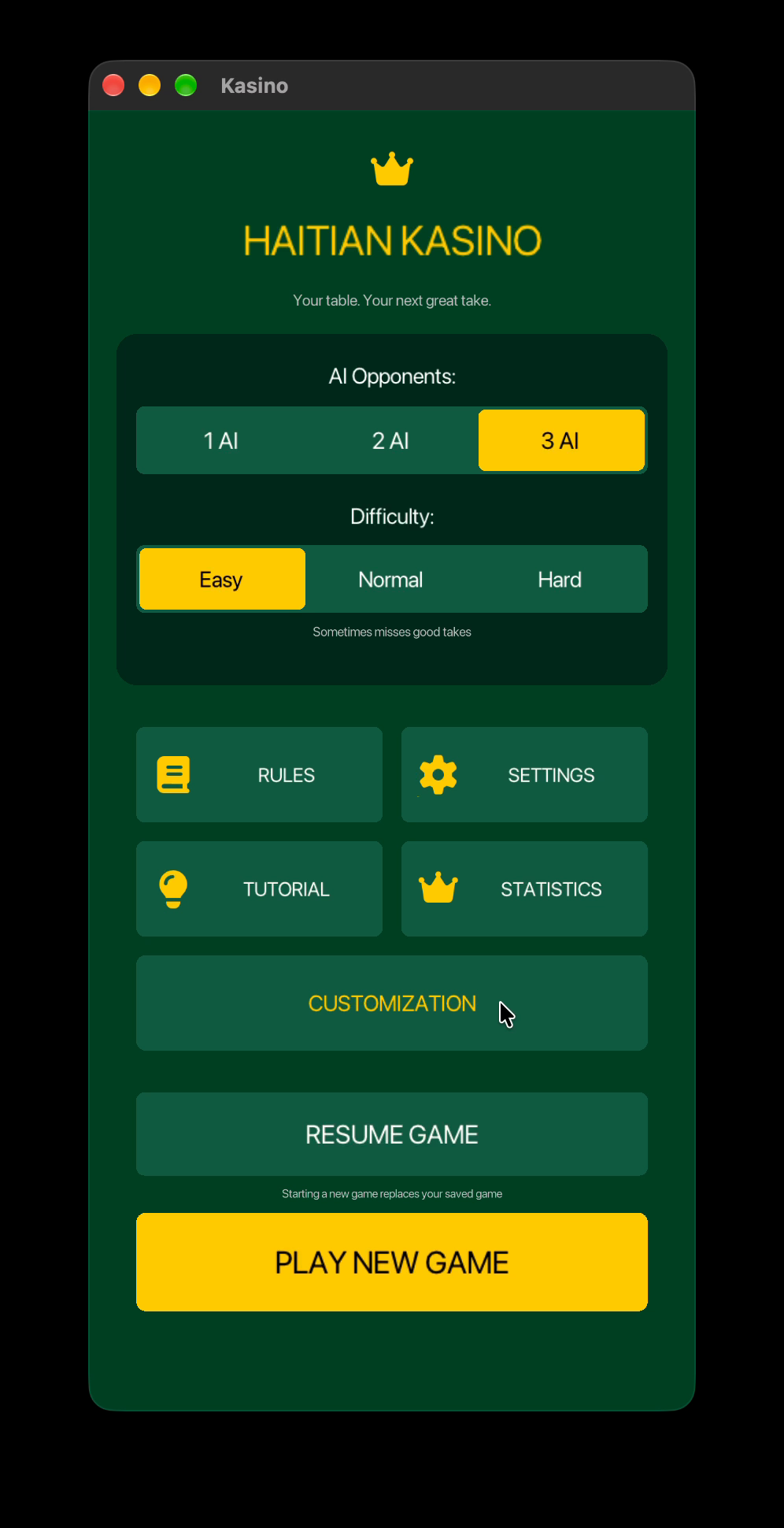
Game setup is grouped more clearly, selected options use gold states, touch targets are larger, and Play and Resume are easy to distinguish. Then that visual system spread to the rest of the game. Rules, Settings, Results, Profile, Statistics, History, Goals and Unlocks now share the same panel styles, headings, spacing and accents. I also spent time fixing French text that didn't fit correctly and making the opponent cards more consistent.
The Invisible Work: Input
Some of the most frustrating bugs during this update had nothing to do with Kasino's rules. They were coordinates. A card could be drawn in one location but have its clickable area somewhere slightly different. It became especially noticeable across different screen sizes and platforms. So instead of continuing to add little offsets until everything happened to work, I centralized the viewport conversion and touch sizing. Drawing and input now use the same geometry. I also added a desktop F3 diagnostic that shows the pointer position and hitboxes directly on screen.
That helped me find a macOS window-size mismatch that was causing the mouse to be offset. Touch controls received a lot of smaller fixes too: larger interaction areas, better slider behavior, nearest-card tolerance on crowded tables and proper prioritization of the visible card on top of a stack.
Kasino Sounds Like a Game Now
Audio also received a much bigger pass. There are now separate music and sound-effect volume controls. Cards have sounds for dealing, pickup, placement and building. There are sounds for shuffling, UI interactions, starting and resuming games, invalid moves, large captures, victories, defeats, tutorial completion and cosmetic rewards. Deal sounds are synchronized with the actual animation now instead of all playing immediately. I also added multiple deal-sound voices so one card doesn't cut off the previous card's sound. Some stronger effects temporarily lower the music so they can actually be heard.
It's another collection of small things that makes a surprisingly big difference when they're all working together.
One Codebase, More Platforms
While all of that was happening, I continued working on getting Kasino onto more platforms. Android builds are working, including the newer 16 KB memory-page requirement, asset packaging and audio. I've also been working on raylib builds for both the iOS simulator and physical iPhones. That meant dealing with simulator architectures, copying assets into the app bundle, finding those assets correctly at runtime and improving audio buffering. At this point I have scripts for testing Kasino on desktop, web, Android, the iOS simulator and a physical iPhone. I'm not releasing the mobile versions yet.
I want the game to be good enough for those platforms first.
Cleaning Up What Kasino Has Become
Kasino has grown a lot since the first version. That also means the code has grown. I've started reorganizing the project into clearer core, ai, graphics, ui and platform modules instead of letting everything slowly become connected to everything else. I've also started building regression tests for some of the systems that I really don't want to accidentally break again:
- Captures and builds
- Mixed-value Aces
- Save and resume
- Tutorial progression
- Statistics
- Unlock persistence
- Viewport and input conversion
The more platforms and features I add, the more important this becomes. Fixing an Android problem shouldn't suddenly break a build rule in the browser.
Where Kasino Is Now
The first versions of Kasino were mostly about proving that I could get the game working. Cards could be dealt. Players could capture, trail and build. Rounds could finish. Scores could be calculated. That foundation is still the most important part of the game, but this update has been about everything surrounding it. Teaching someone how to play. Making opponents feel different. Remembering your matches. Letting you close the game and come back. Giving actions better feedback. Making the interface easier to use. Giving players something to unlock without changing the rules.
And making sure the same game can eventually run properly on the different platforms I want to support. There is still a lot I want to improve, but Kasino is starting to feel much closer to the game I had in mind when I decided to rebuild it. You can play the current browser version on itch.io:
https://levyestudio.itch.io/kasino
— Levye Studio